 CHOOSELY.AI
Step 1
Choose with context
Start with the task, workflow step, budget, skill level, and constraints that actually matter.
Find the right tools, save the ones you trust, build workflows around them, and stay ahead when better specialists, pricing changes, shutdowns, or major platform shifts affect the way you work.
The member workspace gives Choosely memory. Saved tools, workflow drafts, stack reviews, and alert signals all stay attached to the context behind the original choice.
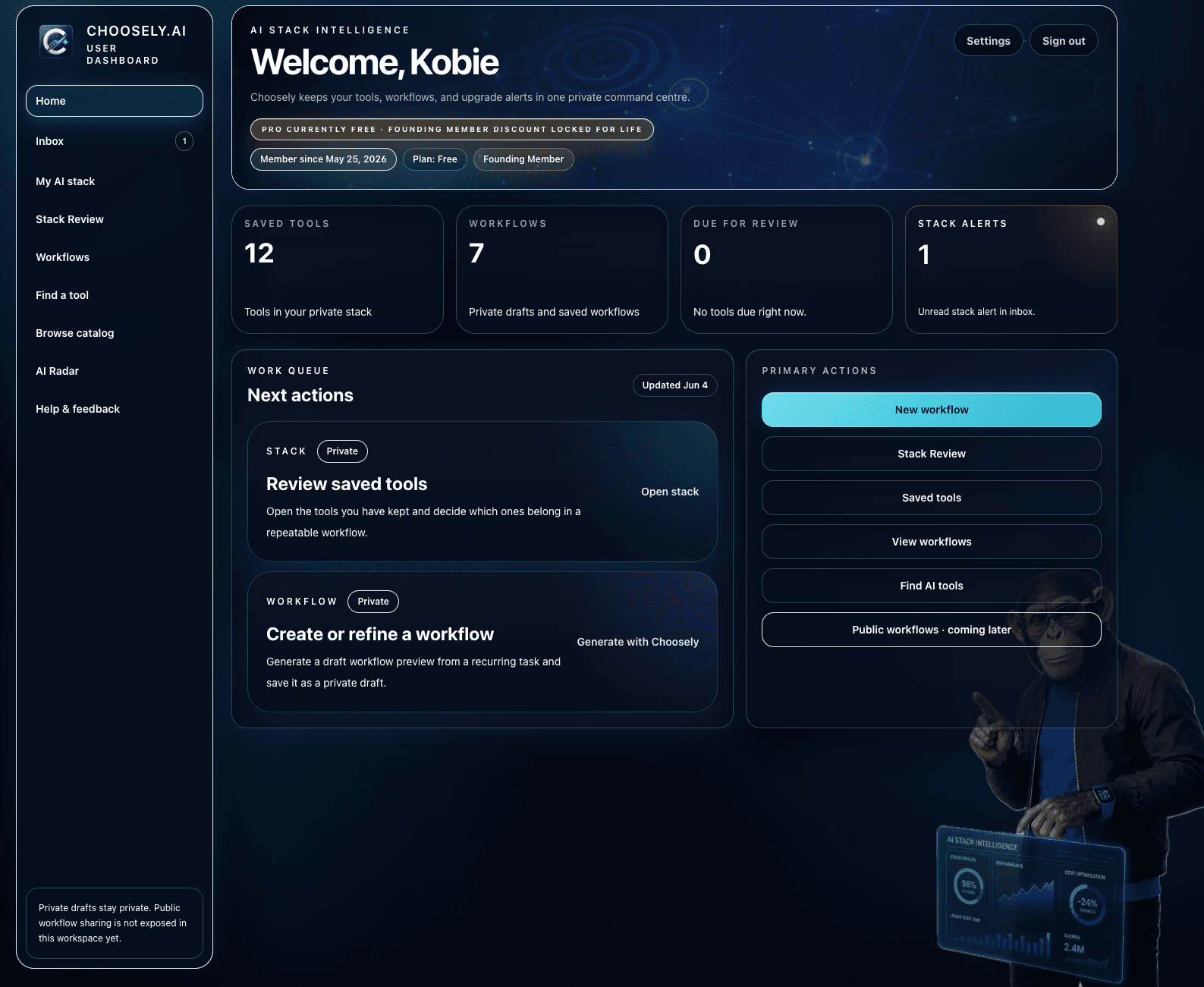
Stack Intelligence is useful because it is attached to saved tools and workflows, not because it watches everything loudly. The system is designed to know what changed, why it matters, and whether you should care.
Start with the task, workflow step, budget, skill level, and constraints that actually matter.
Keep your selected tools and workflows in one place so Choosely remembers what each tool is for.
Monitor better specialists, pricing moves, shutdown risk, and meaningful capability changes.
A change has to be relevant to your stack and worth acting on before it ever reaches you.
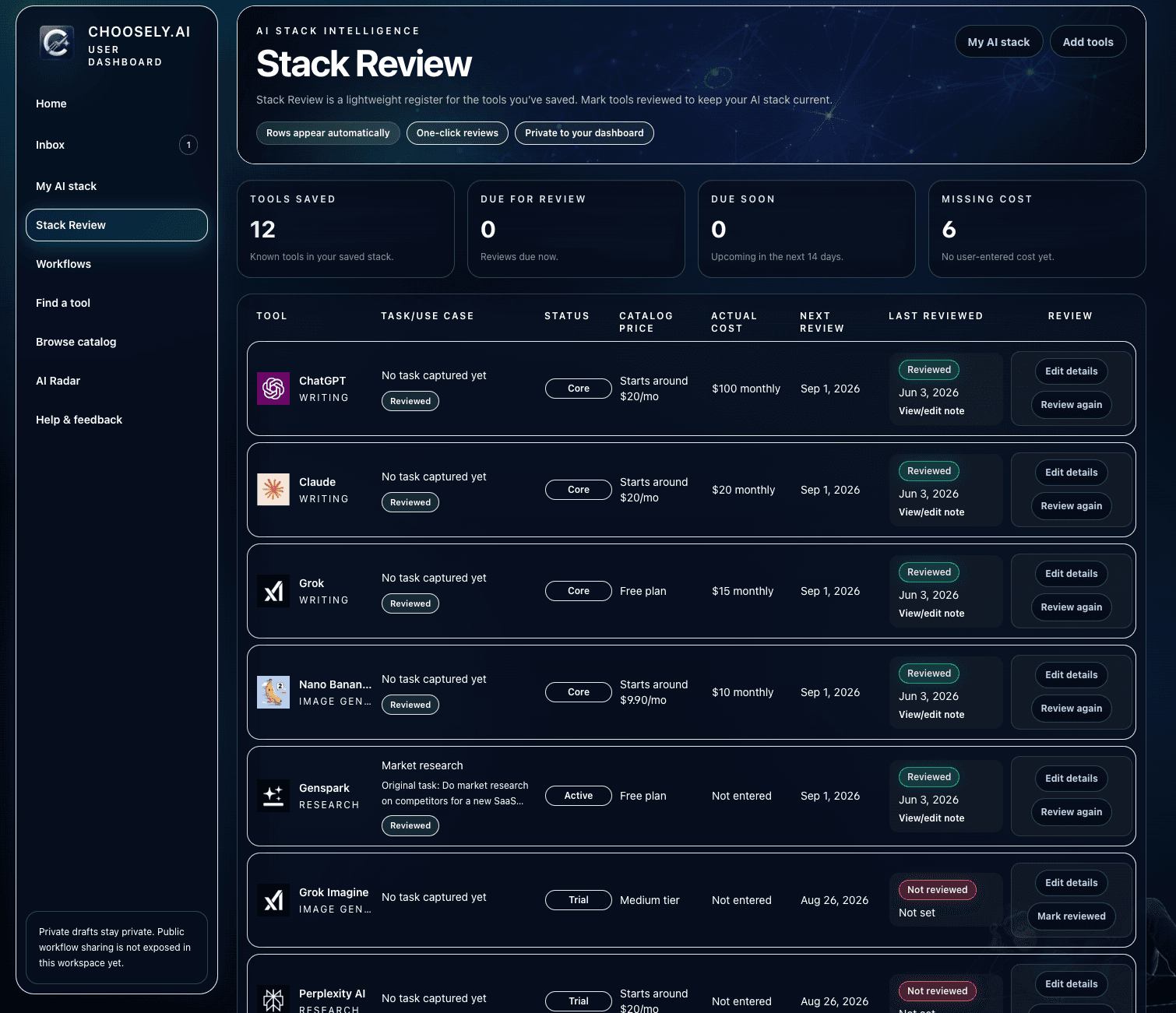
Stack Review is a lightweight register for the tools you've saved. Mark tools reviewed, track review timing, and keep practical notes around cost, fit, and whether a tool still belongs in the stack.
It is designed to help you keep a current stack, not to turn every saved tool into a noisy maintenance project.
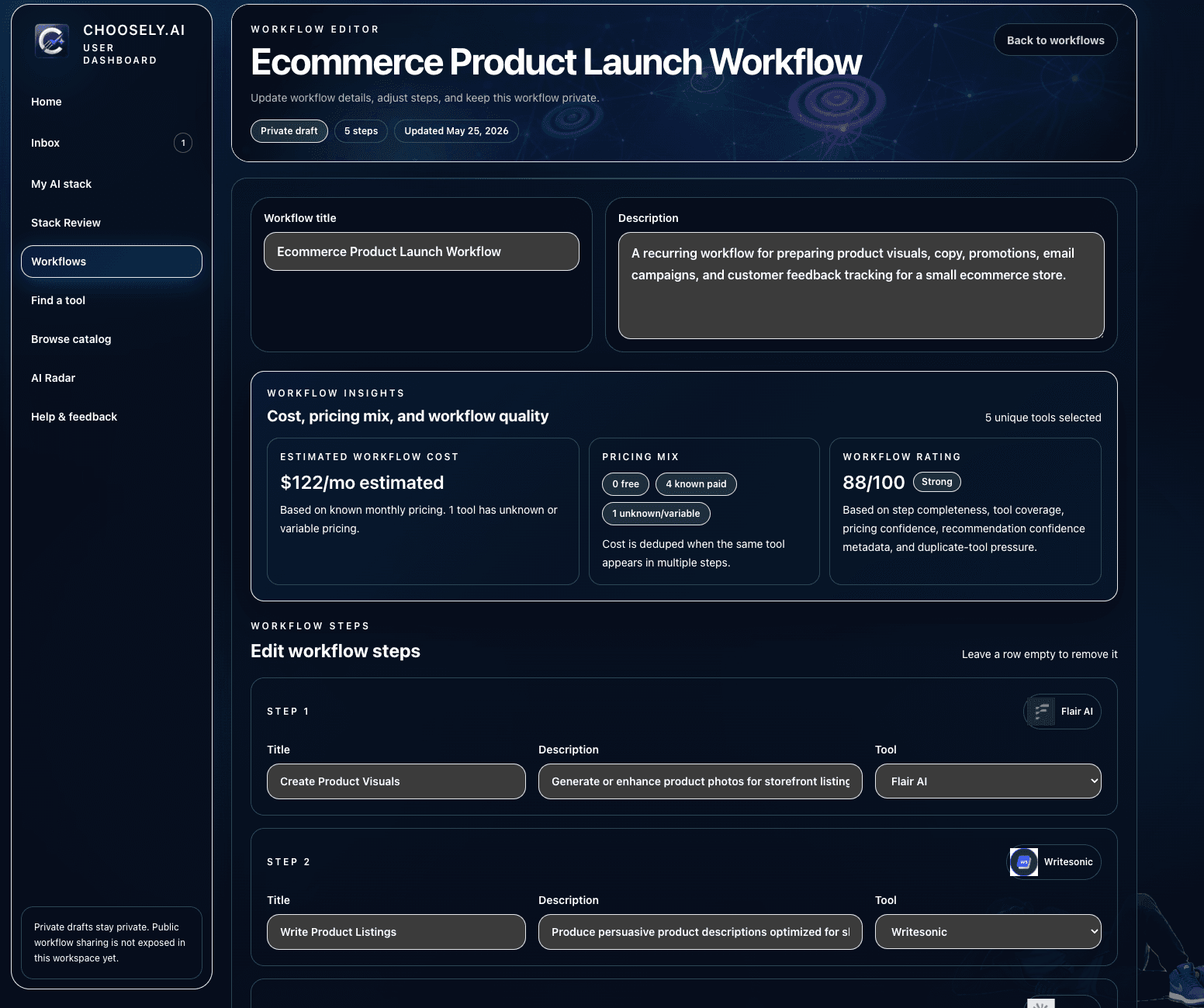
Choosely drafts workflow steps and suggested tool matches. Users review, swap tools, fine-tune the workflow, and save the version that fits.
The goal is to speed up structuring repeatable work, not to pretend every workflow is final on first pass.
Stack Intelligence is designed to focus on meaningful changes, not every AI launch or marketing update. When a saved tool changes pricing, loses access, shuts down, shifts limits, or becomes less suitable for the role it was saved for, Choosely can flag it for review.
The goal is not to make you switch tools constantly. The goal is to help you notice when a saved tool or workflow deserves another look.
This is not meant to report every cosmetic release note. Stack Intelligence focuses on changes that can materially alter tool fit, cost, availability, or risk.
Know when a stronger specialist emerges for a saved task or workflow step.
Spot free-tier removals, plan changes, and pricing moves that affect what you actually use.
See when a saved tool is deprecated, sunset, or affected by a serious risk signal.
Catch major launches, upgrades, or regressions that change the fit of a tool in your stack.
Stack Intelligence follows the same product discipline as Choosely's recommendation engine: useful only when grounded, explainable, and tied to the user's actual task.
The goal is simple. If a change does not matter to your saved stack, it should stay quiet.
If nothing in your stack needs a decision, you hear nothing. Most updates never reach you.
Every signal traces back to a verified change in the same catalog that powers recommendations.
You are alerted when a saved tool needs another look, not for every launch or release note.
Signals follow the role a tool plays in your workflow, not broad category chatter.