 CHOOSELY.AI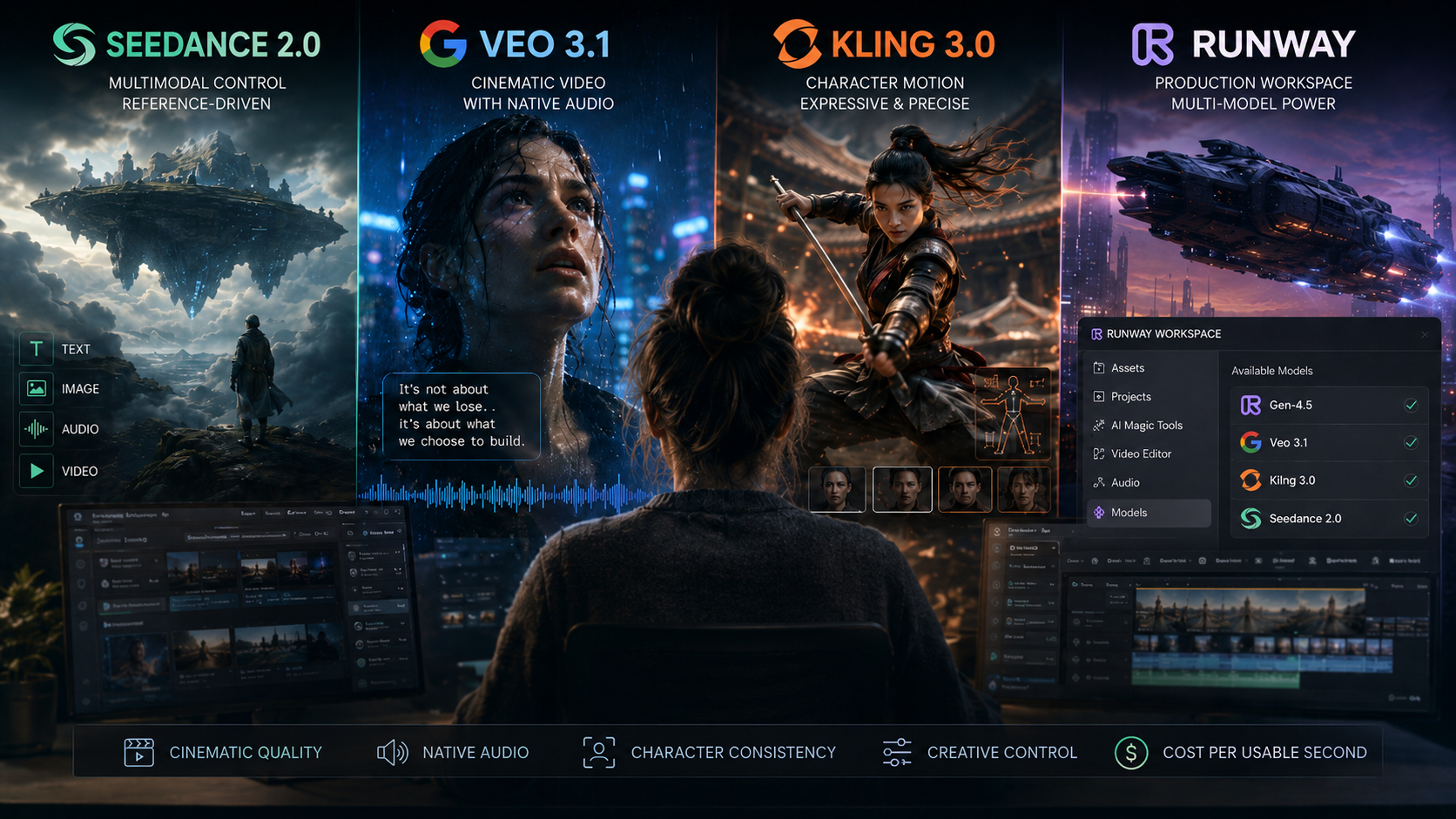
AI video has moved beyond surreal six-second clips and melting hands.
The leading models can now generate convincing camera movement, spoken dialogue, sound effects, consistent characters and multi-shot scenes from combinations of text, images, audio and reference video.
That progress has created a different problem:
Which AI video generator is actually best for the work you want to create?
Seedance 2.5, Google Veo 3.1, Kling 3.0 and Runway Gen-4.5 are all credible choices, but they are not interchangeable.
Some are strongest at cinematic realism. Others provide better character motion, multimodal reference control, native audio or a more complete production workspace.
The useful question is no longer simply which model can produce the most impressive demo.
It is:
Which model gives you the highest chance of producing a usable shot without wasting time, credits and subscriptions?
Here is how the leading options compare as of August 11, 2026.
The quick answer
| Your main priority | Current best fit |
|---|---|
| Best overall workspace for most creators | Runway |
| Cinematic realism with dialogue and sound | Veo 3.1 |
| Longer multimodal sequences and localized editing | Seedance 2.5 |
| Character motion and creator-focused animation | Kling 3.0 |
| Testing several leading models in one place | Runway |
| Building a repeatable professional workflow | Runway or Veo 3.1 |
| Starting from a strong character image | Kling 3.0 |
| Directing a scene from many source assets | Seedance 2.5 |
These are Choosely’s current positioning recommendations, not the result of a controlled laboratory benchmark. Results still depend heavily on the prompt, source assets, platform settings and type of scene.
Seedance, Veo, Kling and Runway at a glance
| Model | Strongest use case | Key advantage | Main caution |
|---|---|---|---|
| Seedance 2.5 | Longer, reference-heavy sequences | 30-second generation, extensive references and localized editing | Up to 1080p through BytePlus, still below Kling's native 4K |
| Veo 3.1 | Cinematic scenes with dialogue and sound | Strong native audio, realism and prompt adherence | Premium generations become expensive after retries |
| Kling 3.0 | Character animation and social content | Expressive motion and reference-driven performance | Complex interactions can still become unstable |
| Runway Gen-4.5 | General production and controlled visual work | Strong model inside a broad multi-model workspace | Monthly credits disappear quickly during experimentation |
The first important distinction is that Runway is both a model developer and a production platform.
Its paid plans provide access to Runway’s own Gen-4.5 model alongside third-party models including Veo 3.1, Kling 3.0 and Seedance 2.0. Runway’s current Standard plan advertises access to all models, while its model comparison includes Seedance 2.0 allowances across Standard, Pro and Max. The newer Seedance 2.5 path compared here is currently documented through BytePlus ModelArk, so channel availability still matters.
That means the practical buying decision is not always:
Which single video model should I subscribe to?
It may be:
Which workspace lets me choose the right model for each shot?
For creators who would otherwise maintain several separate subscriptions, that can reduce both cost and production friction.
What makes an AI video generator good in 2026?
Impressive showcase clips are easy to find.
Reliable production is harder.
A useful comparison should focus on five things.
1. Prompt adherence
Does the output actually follow the requested action, setting, camera movement and sequence of events?
A beautiful result that ignores half the prompt is not a successful generation.
2. Temporal consistency
Do characters, objects, clothing and backgrounds remain coherent as the shot progresses?
Many video models can create a convincing opening frame. The challenge is maintaining it once a person turns around, walks through a scene or interacts with an object.
3. Creative control
Can the creator provide character references, starting frames, ending frames, existing footage, motion examples or audio?
Greater control reduces randomness and makes a model easier to use inside a repeatable workflow.
4. Audio
Native dialogue, ambience and sound effects can remove several production steps.
But poor speech, timing or lip-sync may be worse than generating the visuals silently and adding audio afterwards.
5. Cost per usable second
The listed cost of a generation matters less than the cost of producing footage you can actually publish.
A cheaper model that requires twelve attempts may cost more than a premium model that succeeds on the second.
Seedance 2.5: Best for longer multimodal sequences
Seedance 2.5 is ByteDance’s current production-oriented audio-video model. It accepts text, images, audio, and video as creative inputs, but the scale of the reference system is what separates it from a basic prompt box.
A single generation can use up to 30 images, 10 video clips, and 10 audio clips. It can also run for up to 30 seconds, twice Kling 3.0’s documented maximum, and target actions, camera changes, and revisions to defined parts of a sequence.
That makes Seedance particularly interesting for:
- Reference-heavy advertising
- Longer narrative and music sequences
- Product campaigns with fixed visual assets
- Camera and motion direction from existing clips
- Previsualization
- Localized changes that would otherwise require a full reroll
The tradeoff is still important. BytePlus now documents Seedance 2.5 output at up to 1080p, while Kling 3.0 offers native 4K. Individual providers may still expose lower ceilings, including 720p, and BytePlus ModelArk availability is also regional and currently does not list the United States.
This broad comparison keeps the category-level decision concise. For the production details, read Choosely’s Seedance 2.5 vs Kling 3.0 specialist comparison.
Seedance access and cost
Seedance pricing is difficult to summarize with one universal figure because access differs across ByteDance services, APIs, and third-party platforms.
Runway currently lists Seedance 2.0 rather than Seedance 2.5 in its multi-model workspace. Treat its published Seedance credit rates as Runway-specific pricing for that older channel, not universal Seedance 2.5 pricing.
Rights and likeness caution
Seedance’s reference capabilities are powerful, but they also make rights management especially important.
Professional users should avoid using:
- Unlicensed celebrity likenesses
- Copyrighted film or television characters
- Recognisable scenes copied from existing productions
- Music or voices they do not have permission to use
- Client assets without clear approval
- Reference footage whose usage rights are unclear
The practical rule is simple:
Being technically able to reproduce a look does not mean you have the right to publish it.
Google Veo 3.1: Best for cinematic video with audio
Veo 3.1 is Google DeepMind’s leading video-generation model.
It supports text-guided generation, image references and native audio. Google’s current Gemini API documentation positions Veo 3.1 for native-audio video generation, scene extension, frame-specific generation and image-based direction.
Veo can be used for:
- Spoken dialogue
- Ambient sound
- Sound effects
- Cinematic camera movement
- Image-guided scenes
- First-and-last-frame control
- Scene extension
Where Veo 3.1 appears strongest
Veo is the best fit when sound is part of the creative concept rather than something added at the end.
Strong use cases include:
- Short cinematic scenes with dialogue
- Product advertisements with ambience
- Film-style establishing shots
- Music-led visual concepts
- Historical or documentary sequences
- Scenes requiring realistic environments
- Dialogue-driven social videos
- Branded clips that need sound effects and visuals to land together
The ability to generate image and audio in one pass can remove several separate tools from a short-form production workflow.
Reference control
Veo supports image-based direction as well as first-frame, last-frame and scene-extension workflows.
That is useful for:
- Recurring presenters
- Narrative characters
- Brand mascots
- Products
- Costumes
- Recognisable visual identities
References improve control, but they do not guarantee perfect preservation. Creators should still inspect facial structure, clothing, accessories and age across every generation.
Veo 3.1 pricing
Google currently lists three Veo 3.1 API tiers:
| Veo model | 720p with audio | 1080p with audio | 4K with audio |
|---|---|---|---|
| Veo 3.1 Standard | $0.40/sec | $0.40/sec | $0.60/sec |
| Veo 3.1 Fast | $0.10/sec | $0.12/sec | $0.30/sec |
| Veo 3.1 Lite | $0.05/sec | $0.08/sec | Not supported |
Google lists audio as the default for Standard, Fast and Lite through the paid Gemini API. These are API prices; access, controls and plan limits through products such as Gemini and Flow may differ.
At the Standard API rate, an eight-second 1080p clip costs approximately:
8 seconds × $0.40 = $3.20
That can be reasonable for a strong commercial shot.
It becomes expensive when the creator is experimenting without a storyboard and regenerating the same scene repeatedly.
Veo’s limitations
Native audio is a major advantage, but it does not eliminate the need for review.
Creators should still expect to encounter:
- Awkward dialogue delivery
- Unnatural emphasis
- Imperfect lip-sync
- Speech that does not match the character
- Background audio that competes with dialogue
- Sound timing that weakens the visual moment
For important projects, the better workflow may still be to use Veo for visuals and ambience, then replace or refine the voice in post-production.
Kling 3.0: Best for character motion and creator content
Kling has built a strong reputation around image-to-video generation, expressive human motion and reference-driven character animation.
The Kling team’s wider research supports text instructions, reference images and video context inside a unified generation and editing framework. Its MotionControl system is specifically designed to transfer movement from a driving video onto a reference character while preserving the character’s appearance across the body, face and hands.
That is a different kind of strength from Veo.
Veo is often strongest when the entire cinematic scene is generated from an idea.
Kling is particularly attractive when the creator already has:
- A character image
- A product image
- A fashion shot
- A mascot
- An illustrated subject
- A motion reference
- A performer whose movement should guide the output
Where Kling appears strongest
Kling is well suited to:
- Animating a character from a still image
- Recreating gestures and body movement
- Fashion and lifestyle content
- Social-first vertical video
- Stylised characters and cartoons
- Short action sequences
- Dance or performance-based clips
- Creator content built around a recurring subject
It often makes sense when the source character already looks right and the main problem is bringing that character to life.
Kling’s practical appeal
Kling sits between a professional production system and an accessible creator tool.
It offers deeper character and motion control than basic social-video generators, while remaining approachable for someone who is not building directly through an API.
Kling 3.0 is also available through Runway’s paid multi-model workspace, which gives creators another way to compare it against Gen-4.5, Veo and Seedance without managing a completely separate production environment.
Kling pricing
Kling pricing varies across its direct service, regions, credit bundles and third-party platforms.
That makes a single headline monthly price misleading.
Before subscribing, check:
- Whether the price applies to Kling 3.0 or an older model
- Resolution
- Clip duration
- Credit consumption
- MotionControl access
- Watermark rules
- Commercial usage terms
- Queue priority
- Whether failed generations consume credits
Where Kling is weaker
Character motion can be excellent while the wider environment becomes unstable.
Results are more likely to struggle when a scene requires:
- Several people interacting
- Hands manipulating small objects
- Fast camera changes
- Exact product details
- Complex physical cause and effect
- Long spoken conversations
- Strong continuity across many shots
Runway Gen-4.5: Best overall AI-video workspace
Runway Gen-4.5 is the current flagship video model developed by Runway.
Runway positions it around:
- Prompt adherence
- Physical accuracy
- Temporal consistency
- Expressive characters
- Complex scenes
- Stylistic control
- Cinematic realism
The company says Gen-4.5 improves the handling of weight, momentum, fluid behaviour and fine-detail consistency across motion. It supports styles ranging from photorealistic footage to stylised animation.
Where Gen-4.5 appears strongest
Gen-4.5 is a strong generalist.
It is well suited to:
- Commercial concepts
- Cinematic B-roll
- Product scenes
- Stylised animation
- Prompt-led compositions
- Previsualisation
- Storyboards
- Visual effects concepts
- Controlled camera movement
- Shots that do not require native spoken dialogue
It may not lead every specialist category, but it performs credibly across a broad range of production jobs.
Runway’s real advantage is the platform
Runway’s strongest argument is not necessarily that Gen-4.5 defeats every competing model.
It is that Runway combines:
- Multiple video models
- Image generation
- Video editing
- Upscaling
- Lip-sync and voice tools
- Asset storage
- Character tools
- Audio tools
- Existing-project workflows
Its current paid plans provide access to Gen-4.5 alongside models including Veo 3.1, Kling 3.0 and Seedance 2.0. Seedance 2.5 is a separate current path through BytePlus ModelArk.
That matters because one model will rarely be best for every scene.
A creator might use:
- Gen-4.5 for general cinematic B-roll
- Kling for character motion
- Veo for dialogue and ambience
- Seedance for reference-heavy direction
The production stays inside one workspace even when the underlying generation model changes.
Runway pricing
| Plan | Monthly price | Annual-equivalent price | Included credits |
|---|---|---|---|
| Standard | $15/month | $12/month | 625/month |
| Pro | $35/month | $28/month | 2,250/month |
| Max | $95/month | $76/month | 9,500/month |
Runway currently states that Gen-4.5 uses approximately 12 credits per second, or 60 credits for a five-second generation.
That means:
| Plan | Approximate Gen-4.5 output |
|---|---|
| Standard | 52 seconds/month |
| Pro | 187 seconds/month |
| Max | 791 seconds/month |
These totals describe generated footage, not finished usable footage. Several attempts may be required to produce one publishable shot.
That distinction matters.
A Standard subscription may technically provide 52 seconds of Gen-4.5 output, but a five-second scene requiring four attempts has already consumed 20 seconds of that allowance.
Runway’s acknowledged limitations
Runway openly identifies several remaining Gen-4.5 weaknesses:
- Effects may appear before their causes
- Objects may disappear after being obscured
- Actions may succeed even when the physical setup suggests they should fail
Runway describes these as problems involving causal reasoning, object permanence and success bias.
These are not minor cosmetic problems.
They affect whether a shot makes logical sense.
Which AI video generator is best for social media?
The answer depends on the style of content.
Talking or cinematic social clips
Veo 3.1
Native dialogue, ambience and sound effects can make a short clip feel complete without moving through several additional tools.
Character-led image-to-video
Kling 3.0
Kling is especially compelling when the content begins with a strong portrait, character design or creator image.
High-concept visual reels
Seedance 2.5
Its multimodal references give creators more control when a reel must follow a specific movement, lighting treatment or soundtrack.
High-volume experimentation
Runway
The workspace makes it easier to compare models, organise outputs and move promising generations into an editing process.
Which AI video generator is best for YouTube?
None of these models should be expected to generate a polished ten-minute YouTube video from one prompt.
The stronger workflow is:
- 1Plan the story.
- 2Break it into short scenes.
- 3Create character and environment references.
- 4Select the right model for each scene.
- 5Generate several short clips.
- 6Assemble them in an editor.
- 7Add narration, music, transitions and captions.
- 8Review every frame for continuity, factual errors and rights issues.
This is the kind of production stack behind the viral AI-history format explored in Choosely’s Chloe vs History AI-stack analysis.
The finished video is not produced by one magical model.
It is assembled from several specialist tools and a deliberate production workflow.
How to test an AI video generator before subscribing
Do not judge a platform from its showcase gallery.
Give each candidate the same five jobs.
Test 1: Human close-up
Ask for a person speaking or reacting while the camera slowly moves.
Watch for:
- Facial stability
- Eye movement
- Teeth
- Lip-sync
- Skin texture
- Hair consistency
Test 2: Product interaction
Ask someone to pick up, open or use a clearly defined object.
Watch for:
- Hand quality
- Product shape
- Logos and text
- Cause and effect
- Object permanence
Test 3: Character consistency
Provide one reference character and generate two different scenes.
Watch for:
- Face shape
- Hair
- Clothing
- Age
- Body proportions
- Accessories
Test 4: Vertical action shot
Generate a 9:16 scene with movement toward or across the camera.
Watch for:
- Subject framing
- Camera control
- Motion blur
- Background stability
- Space for captions
Test 5: Audio scene
Generate a short line of dialogue with ambience and one sound effect.
Watch for:
- Speech clarity
- Lip-sync
- Timing
- Background audio
- Whether the sound supports the scene
Score each model from one to five for:
Prompt adherence
Visual consistency
Motion
Audio
Number of retries
Cost per usable clip
Editing required
That score will tell you more about the right model for your work than a public benchmark designed around someone else’s prompts.
Do you need all four?
Probably not.
Most creators need:
- One primary production workspace
- One preferred model
- One fallback model for difficult shots
- A conventional editing process
- A separate audio tool when native speech is not good enough
The general creator stack
- Runway as the main production workspace
- Gen-4.5 for general scenes
- Kling for character motion
- Veo when native dialogue matters
The cinematic storyteller stack
- Veo 3.1 for dialogue and atmosphere
- Seedance 2.5 for longer, heavily directed reference-based scenes
- A conventional editor for assembly and audio correction
The short-form social stack
- Kling 3.0 for character animation
- Runway for alternative generations and organisation
- CapCut or another editor for captions, timing and final delivery
The commercial production stack
- Runway as the central workspace
- Veo for hero scenes with sound
- Seedance for reference-heavy advertising shots
- Manual review for rights, logos, products and brand consistency
The wrong approach is paying for every platform before identifying the exact problem in your current workflow.
Choose the job first.
Then choose the model.
The Choosely verdict
Best overall AI video platform for most creators
Runway
It combines a capable general-purpose model with access to several leading alternatives and a broader production environment.
Its main advantage is not winning every benchmark.
It is letting the creator choose a different model when Gen-4.5 is not the best tool for the shot.
Best pure model for cinematic video and audio
Veo 3.1
Its combination of realism, native dialogue, sound, reference control and prompt adherence makes it the strongest current choice for self-contained cinematic clips.
Best for multimodal direction
Seedance 2.5
Its longer generation window, extensive text, image, audio, and video references, and localized editing give experienced creators unusually deep control over the intended result.
Best for character motion and creator-led content
Kling 3.0
Kling is particularly attractive when the subject already exists as an image or character and the main challenge is movement and performance.
Final recommendation
There is no universal best AI video generator.
There is a best model for each shot.
Use Veo for cinematic audio, Seedance for multimodal direction, Kling for character motion and Runway when you want one workspace capable of bringing the production together.
Last updated
August 11, 2026
AI-video models, plan limits and credit costs change frequently. Choosely will update this comparison when the platforms release meaningful new models, controls, pricing or access changes.
Sources
- Google AI for Developers: Gemini API pricing
- Google AI for Developers: Video generation in the Gemini API
- ByteDance Seed: Introducing Seedance 2.5
- BytePlus ModelArk: Dreamina Seedance 2.5 tutorial
- BytePlus ModelArk availability
- Kling-MotionControl technical report
- Runway pricing
- Runway Gen-4.5 research page
The Change Brief
Get the week’s AI changes in one clear read
Pricing moves, tool launches, free-tier changes and practical stack updates, filtered for people who actually use these tools.
Stay ahead of AI without following it all day. We’ll send you what matters each week.
Continue reading
Related reads
AI Tool Recommendations
Seedance 2.5 vs Kling 3.0: Which AI Video Model Should You Actually Use?
Seedance 2.5 leads on longer multimodal sequences and localized editing. Kling 3.0 remains the stronger documented fit for native 4K, structured shots, and controlled dialogue.
AI Strategy
How Chloe vs History Went Viral with Seedance 2.0: Inside the AI Stack Behind 2026's Breakout History Channel
Chloe vs History looks like a viral AI video story. It is actually a workflow story — and the tool stack powering it is a textbook case of matching the right AI tool to the right job at...