 CHOOSELY
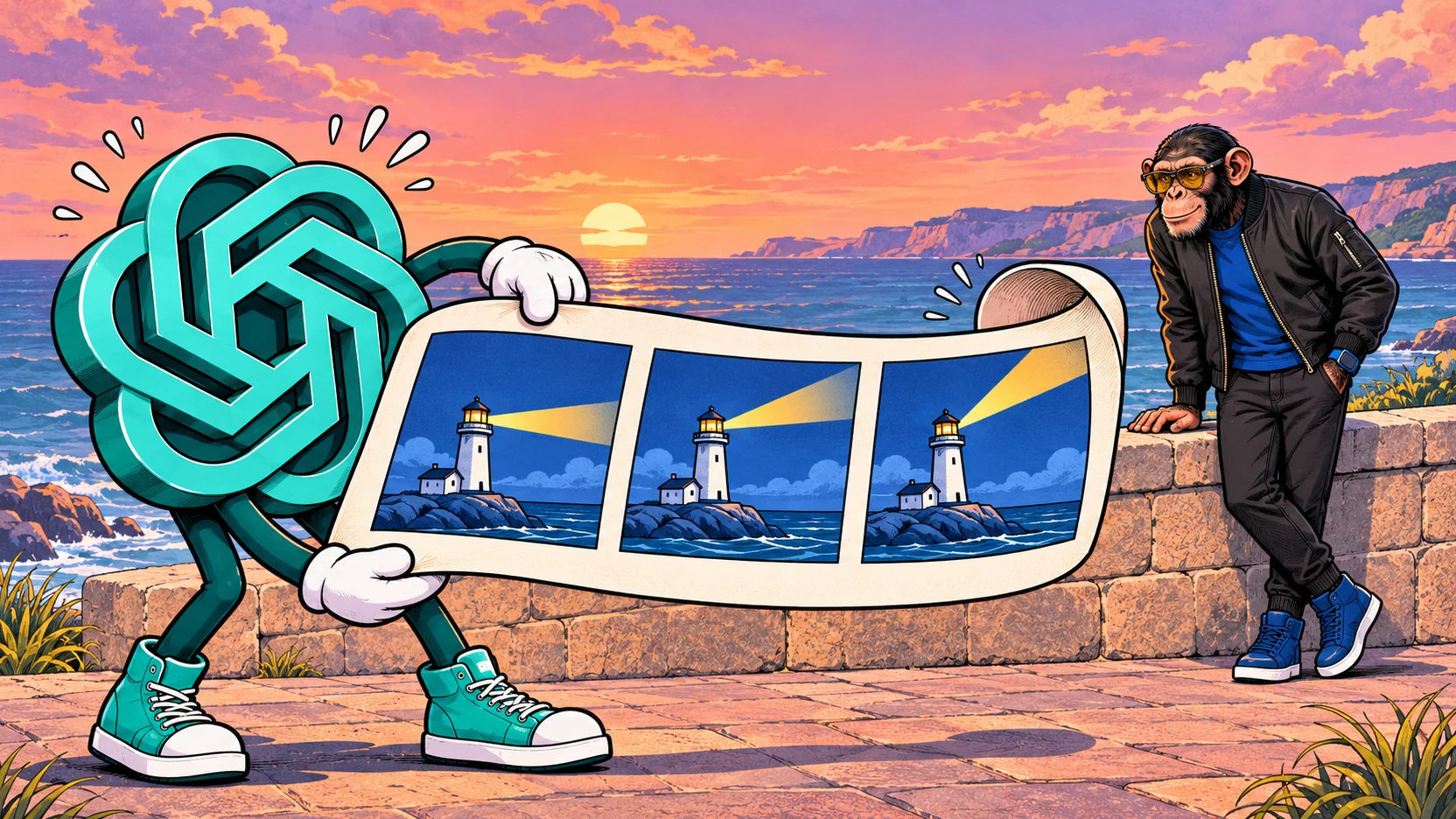
An illustrated mascot gives a tired little wave. A paper airplane makes a heroic launch and immediately lands in a coffee cup. Sometimes the entire creative brief is one movement worth repeating.
ChatGPT is getting a more direct way to make that kind of animation. The Verge reports that Images 2.6 adds GIF creation from a prompt or photo, playback-speed controls, individual-frame editing and sharing.
The appeal is being able to develop the movement where you developed the image. For a quick visual joke or rough animated idea, that could remove a surprisingly large amount of assembly work.
This early assessment draws on OpenAI's announcement and API documentation, launch reporting and the account check described below. The creative briefs are suggestions for you to try.
Update, November 5, 2026: OpenAI's official announcement and API documentation now confirm model availability and published API prices. We have updated those sections while retaining our earlier account check and distinguishing GIF generation from API image editing.
Give the image one thing to do
A useful starting point is a picture you like, plus one action that makes it more expressive.
For a personal reaction, imagine an illustrated character slowly lowering a celebratory flag. A business mascot could wave beside an announcement. A designer might compare an energetic bounce with a reluctant nod before commissioning a finished animation.
Keeping the job small gives you a result you can describe and judge. A mascot raising one eyebrow is a clearer first brief than a crowd entering a room while the camera circles overhead.
Consider three questions: what moves, what stays still, and how does it begin again?
For the waving mascot, the hand moves. The face, outfit and background should stay recognizable. The last pose needs to lead comfortably back to the first if the movement repeats. That gives you something more useful to assess than whether the first frame looks impressive.
An illustrative prompt is: “Create a looping GIF of an illustrated lighthouse. Keep the building and camera still while its beam sweeps around and returns to its starting position.”
The instruction separates the moving part from the scene around it. When you replay the result, you have three concrete checks: does the beam move, does the building stay put, and does the loop restart cleanly?
Why native editing matters
Making motion from still images means putting frames in order, setting their timing and assembling the animated file, whether through code or another application.
The reported native workflow brings that work into ChatGPT. Timing and drawing are separate creative problems. A slow wave can feel apologetic; a faster one can feel impatient. If the pose itself looks wrong, changing the speed will not fix it. Equally, a perfectly drawn gesture can miss the joke because it arrives too slowly. The two controls let you approach different parts of the same idea.
After a frame edit, watch the whole sequence again, including the moment it starts over. Check that the surrounding frames still match. For a creator, the useful question is whether a small revision stays small.
Who gets it
OpenAI's November 4 announcement confirms that Images 2.6 is available globally in ChatGPT and Codex across all subscription tiers on web, desktop and mobile. That replaces the uncertainty in our initial launch coverage about the model's availability.
The announcement does not give a plan-by-plan GIF allowance. Broad model availability does not establish the controls or remaining usage allowance in a particular account.
Our account check, November 5. At 8:26 a.m. AEDT, we could not find dedicated GIF controls. ChatGPT generated two still images and initially displayed those; after we asked where the GIF was, it supplied a download that played successfully. Asked how it made the animation, it described combining image generation with Python and Pillow. This demonstrates an existing route to a GIF inside ChatGPT. Access to the reported native animation controls remained unconfirmed in that account.
That earlier account observation remains valid; it is not a claim that OpenAI has withheld the model from a subscription tier. If dedicated controls are missing, do not assume an upgrade will reveal them. Check your account's actual options and allowance before making a project depend on them.
A GIF has a different job from a video
A still image holds one moment. A GIF plays a sequence of images. A video production can add sound, shots, captions and a longer story.
Instructions OpenAI wrote for its Codex coding agent point the same way: they reserve GIF generation for simple animations and send more complex work to other tools. Those instructions are evidence about Codex, not a statement of ChatGPT's public limits.
For a repeating reaction, the small format can be the point. For a narrated product explanation or a finished Reel, creating the moving image is only part of the work. You still need the surrounding production and an export suited to the destination.
Our AI video generator guide covers the broader production decision, from individual shots to the workspace used to assemble them.
A brief note for developers
Both GPT-Image-2.6 Flare and Sunburst are available in the API. OpenAI's image guide documents animated GIF generation through the image-generation endpoint, with controls for frame count and frame duration.
The distinction matters: the image-edit endpoint does not support GIF output. Do not read ChatGPT's reported individual-frame controls as a promise of equivalent GIF frame editing through the API.
OpenAI also publishes API pricing: both models have standard rates of US$8 per million image-input tokens, US$30 per million image-output tokens and US$5 per million text-input tokens. These are usage-based rates, not a flat price per GIF or a ChatGPT subscription allowance.
The Choosely verdict
The interesting possibility is a shorter trip from “this picture needs a small gesture” to something you can watch and revise. That matters for people who would enjoy making an animation but would never open a timeline editor for one visual joke.
Watch for it in your existing account. Start with one clear movement, then judge the entire loop. Native controls earn their place when they make the revision easier as well as the first attempt.
The Change Brief
Get the week’s AI changes in one clear read
Pricing moves, tool launches, free-tier changes and practical stack updates, filtered for people who actually use these tools.
Stay ahead of AI without following it all day. We’ll send you what matters each week.
Continue reading
Related reads
Product Update
Canva Built Its Own AI Image Model. What Does Craft Change for Creators?
What Canva Craft changes for creators: how it works in Dream Lab, why editable designs matter, AI allowances and when to keep another image tool.
AI Tool Recommendations
Best AI Video Generator in 2026: Seedance vs Veo vs Kling vs Runway
Seedance, Veo, Kling and Runway can all create impressive AI video, but they solve different production problems. Here is how to choose the right model for your workflow.