 CHOOSELY
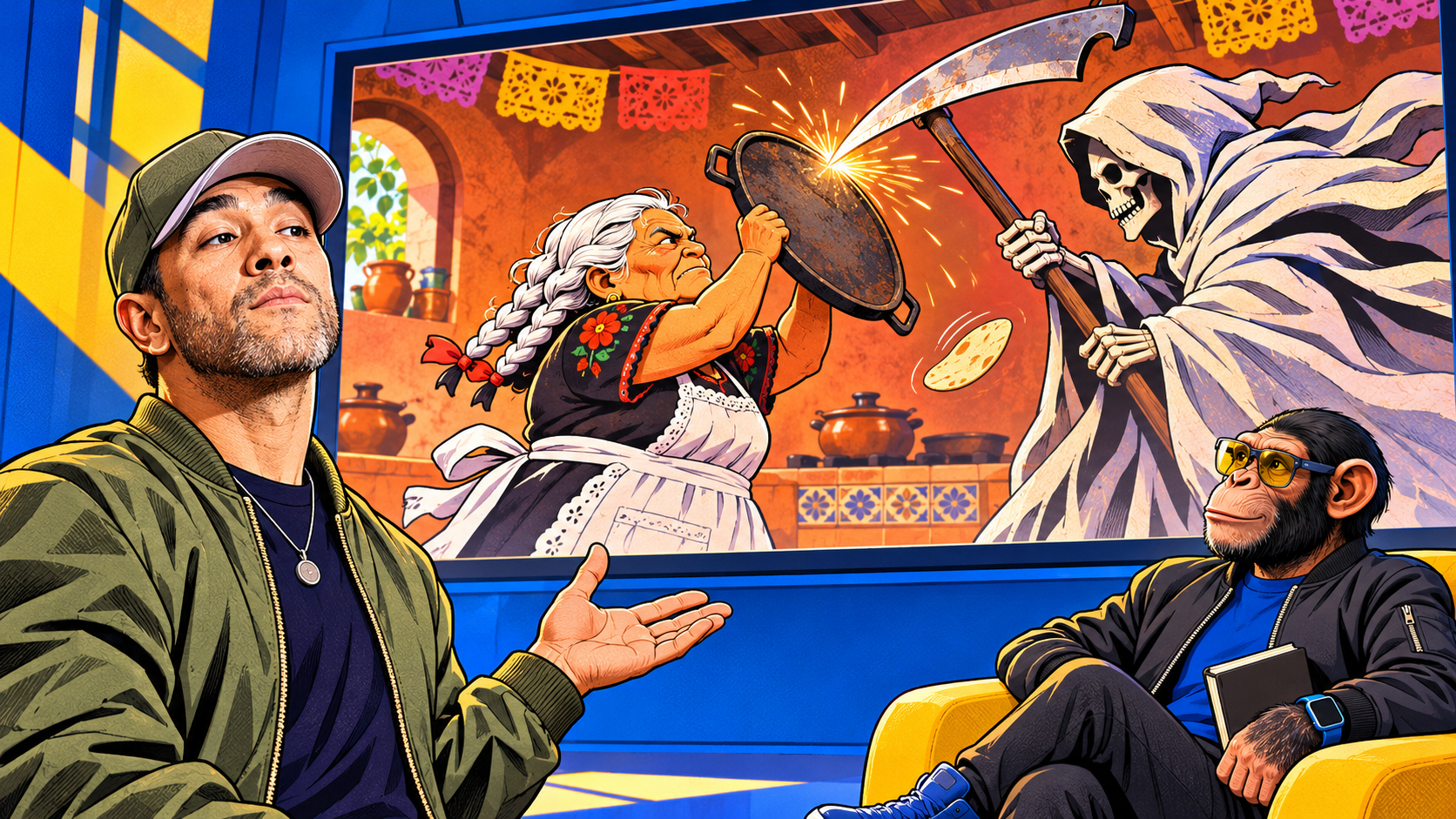
JBoogxCreative, the creator Tyler Bernabe, credited Midjourney V8.2 and Seedance 2.0 for Día de Muertos: Abuela’s Time. His November 2, 2026 post identifies both models and introduces the short as the final installment of a four-day series.
The premise is wonderfully unreasonable. Death arrives to escort a dead grandmother home at dawn. She responds with her chancla, a sandal. In the kitchen confrontation, a comal, a flat cooking griddle, becomes a shield. Bernabe’s portfolio supplies the premise; the film turns it into an anime-style brawl.
For anyone wondering how AI helped make it, the useful question goes beyond the software names. What was the model asked to generate, and what decisions still belonged to the creator? A public excerpt of the fight instructions gives us an unusually concrete example.
What the tools do
Bernabe’s public October workflow guide describes Midjourney as his starting point for an image’s look, alongside other tools for image editing. He names Seedance for turning images into video and Adobe Premiere Pro for editing. That describes his broader practice; the film’s own post specifically credits Midjourney V8.2 and Seedance 2.0.
These jobs are worth separating. Creating a character’s appearance, making that character move and assembling a finished sequence involve different decisions. A model credit tells you part of the production story. It does not reveal every input, rejected attempt or editing choice.
The fight begins with decisions
Bernabe’s portfolio shows an excerpt of the prompt behind the comal fight, written for Seedance 2.0. A prompt is the set of instructions given to the AI.
The excerpt requests a 15-second scene, specifies the characters’ behavior and directs the camera. For the griddle clash, it asks for both characters to remain visible from the side: the blade strikes the iron, sparks appear and a tortilla flies away. It also asks for shots to begin and end while movement is underway.
Those instructions make the desired action easier to assess. Can the viewer see the attack and the block? Does one movement lead into the next? The model has a sequence to attempt, and the creator has something more useful to judge than whether the result looks impressive.
Bernabe also recommends Claude or ChatGPT for help preparing prompts in his public guide. Using that assistance still leaves decisions about the action, framing and acceptable result. We have not established which assistant, if any, helped prepare this film’s instructions.
In sampled frames from the finished short, the blade meets the raised griddle, sparks scatter and the tortilla sails away. The joke continues when it lands across a seated character’s face. That small consequence makes the clash more than another exchange of blows.
These are visible matches with parts of the published directions. They do not establish that every instruction worked exactly as written or that the final result came from a single attempt.
Did the AI make the cuts?
A generated clip can contain changes of shot. An editor can also cut generated clips together, shorten them or rearrange their sequence. Those possibilities make it difficult to identify the production method simply by watching a finished film.
Bernabe’s public guide states that he edits in Premiere. An earlier Reddit discussion of The Gatekeeper addresses the distinction more directly. A viewer asks whether he generates individual pieces and edits them together, or requests the cutting inside the prompt. The account identifying itself as JBoogxCreative replies that he uses a combination of both.
That exchange concerns a different short. It gives useful context for his working methods, but it does not identify which cuts in Abuela’s Time were generated and which he placed in an editing timeline. The public fight excerpt shows direction; his broader statements establish an editing practice. A shot-by-shot account of this film remains unavailable.
A useful lesson before you generate anything
The fight offers a simple planning exercise: write down the setup, the action and the consequence.
Here, the blade swings toward the grandmother, she blocks it with the griddle, and the tortilla flies off. The later face gag gives that flying object a payoff. Each beat has a job, and the viewer needs enough visual information to connect them.
Before generating your own scene, try describing those three beats in ordinary language. Then decide what must remain visible. If the important moment is an object changing hands, a beautiful close-up of someone’s face might hide the very action you need.
For a small business making a café video, the same exercise could become an empty cup, the pour and the customer collecting it. Decide whether the point is the coffee’s texture or the handoff before choosing a camera view. You can work that out on paper or in a notes app.
This is an untested planning exercise. It requires neither Bernabe’s app nor a paid generation. Once you have footage, review it against the brief: can someone follow what happened, and does the reaction make sense?
What remains unknown
The public sources do not establish this film’s production time, total cost, retry count, complete inputs or audio process. Bernabe offers paid resources, including Night Shift through Patreon, but the guide and prompt excerpt discussed here are public. Choosely checked those sources and sampled the original video’s frames; we did not run the prompt or inspect project files.
Choosely’s verdict
Bernabe credits Midjourney V8.2 and Seedance 2.0 for Abuela’s Time. The fight instructions provide the more useful lesson: define the action, make its important moment visible and give it a consequence the audience can follow.
That is something a beginner can practice before spending on generation. Matching a creator’s software is easy. Deciding what a scene needs, and recognizing whether the footage delivers it, remains the work.
The Change Brief
Get the week’s AI changes in one clear read
Pricing moves, tool launches, free-tier changes and practical stack updates, filtered for people who actually use these tools.
Stay ahead of AI without following it all day. We’ll send you what matters each week.
Continue reading