 CHOOSELY.AI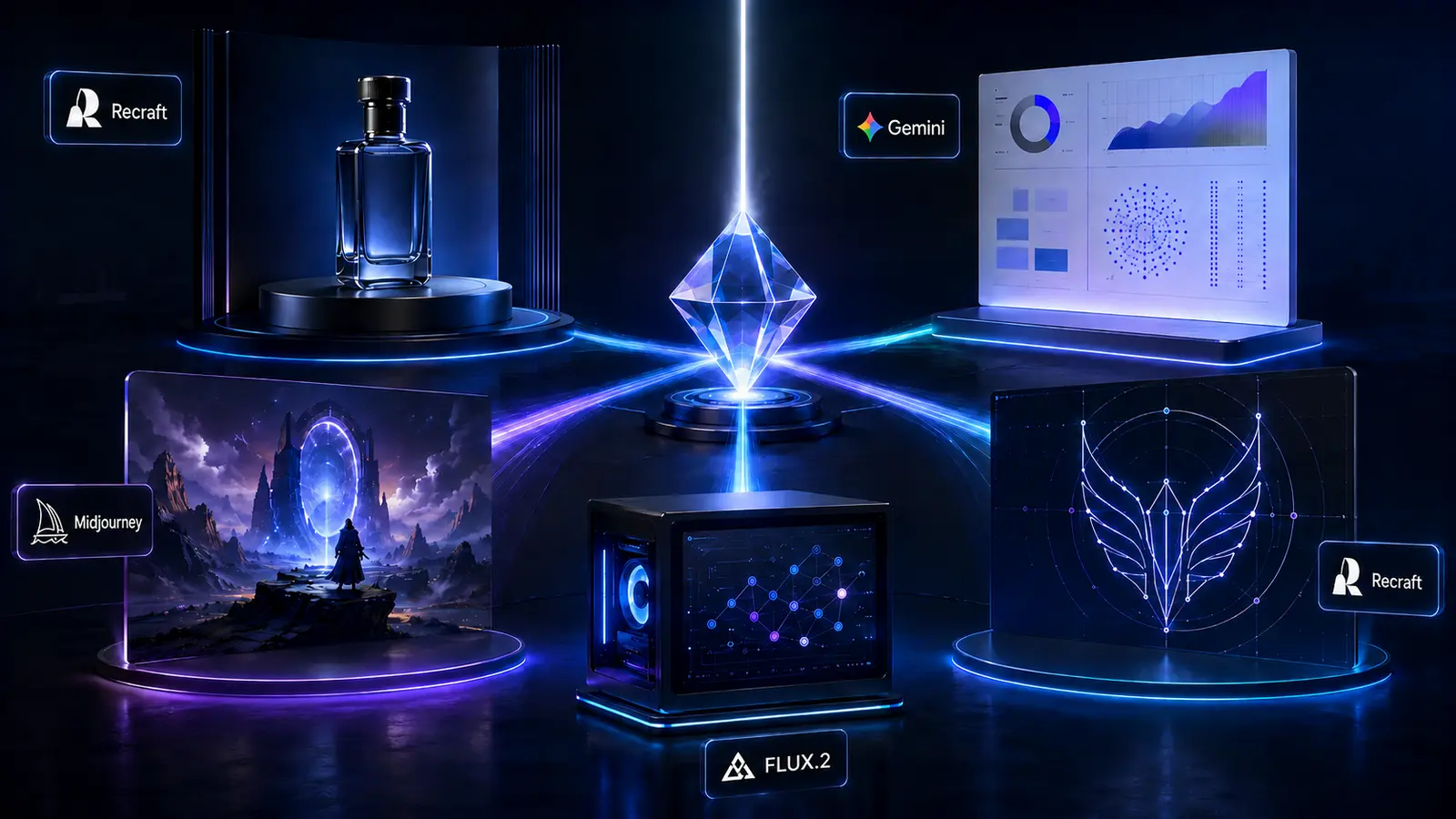
There is no single best AI image generator in 2026.
That answer is less satisfying than a neat five-tool leaderboard, but considerably more useful.
A clean ecommerce bottle shot, a data-heavy infographic, a cinematic concept image, a locally hosted generation pipeline, and an editable vector logo are fundamentally different jobs. The model that excels at one can be an unnecessarily awkward choice for another.
The image market has also become much more specialized.
Recraft now separates expressive image generation, predictable utility work, and native vector output across its V4.1 family. Google positions Nano Banana Pro specifically around complex graphic design, high-fidelity product mockups, accurate text, and factual visualizations. Ideogram 4.0 exposes unusually structured controls for text and layout. Black Forest Labs has compact FLUX.2 models intended for local deployment. Midjourney V8.2 remains deliberately focused on aesthetics and personalization.
So Choosely's recommendation is simple:
Choose the image generator around the deliverable, not whichever model won the latest beauty contest.
| Job | Choosely pick | Current version |
|---|---|---|
| Photorealism and product shots | Recraft | V4.1 Utility Pro |
| Text-in-image and infographics | Google Nano Banana Pro | Gemini 3 Pro Image |
| Artistic direction | Midjourney | V8.2 |
| Open and self-hostable | Black Forest Labs | FLUX.2 [klein] 4B |
| Vector and brand work | Recraft | V4.1 Vector |
These are editorial picks based on current documented capability fit. Choosely did not run a controlled five-model benchmark for this article.
Why does Recraft appear twice? Recraft wins two categories here because it currently offers two different specialist model families for two different jobs: V4.1 Utility Pro for controlled product imagery and V4.1 Vector for editable vector work. These are independent Choosely editorial picks, not paid placements or a single model being stretched across multiple categories.
Photorealism and product shots: Recraft V4.1 Utility Pro
A product image usually needs less imagination than an AI model wants to give it.
You want the bottle facing the right direction. You want the materials to look believable. You want controlled lighting and a usable composition. You probably do not want the model deciding your wristwatch belongs on a park bench or your moisturizer needs a mountain range behind it.
That is where Recraft V4.1 Utility Pro makes sense.
Recraft explicitly separates its Utility models from the more expressive main V4.1 model. The company describes Utility as the choice when simplicity matters more than creative surprise, including mockups and product listing photos. The Pro versions add higher resolution and finer detail. V4.1 Utility Pro currently costs US$0.21 per generated image through the Recraft API.
The strongest alternatives are Nano Banana Pro, Adobe Firefly Image Model 5, and GPT Image 2. Google specifically positions Gemini 3 Pro Image for high-fidelity product mockups, with brand consistency, reference-image handling, and 4K generation.
Adobe's current Firefly Image Model 5 is generally available and built around photorealistic detail, natural-language editing, and native 4MP generation without upscaling. OpenAI's current GPT Image 2 supports high-fidelity image inputs alongside image generation and editing through the same model.
Those broader models can make more sense when a product image is part of a larger conversational or editing workflow.
For a catalog of products that should look as if they came from the same controlled studio, though, predictable behavior becomes a feature.
Best pick: Recraft V4.1 Utility Pro for ecommerce imagery, clean product shots, mockups, and controlled commercial compositions.
Less ideal for this job: Midjourney V8.2 when literal product presentation and repeatability matter more than artistic interpretation. Its current model is explicitly tuned toward bolder aesthetics, image quality, creativity, and personalization.
Text-in-image and infographics: Nano Banana Pro
Generating a beautiful picture with three correct words is one challenge.
Generating a useful infographic with headings, labels, hierarchy, factual context, charts, and readable text is another.
For the broader infographic job, our pick is Nano Banana Pro, Google's Gemini 3 Pro Image model.
Google specifically describes the current model as being suited to complex graphic design and factual data visualizations that require accurate text rendering and grounding through Google Search. It also calls out high-fidelity product mockups as a core use case.
That combination matters because an infographic is not just an image.
It is information arranged visually.
Ideogram 4.0 is the strongest specialist alternative when typography and precise layout become the main event.
Ideogram 4.0 was trained around structured JSON captions that can represent per-element styling, bounding boxes, and color palettes. Its architecture documentation shows a 9.3-billion-parameter model with explicit support for structured visual composition.
In practical terms, that makes Ideogram particularly attractive for posters, ads, title cards, labels, and compositions where words need to exist as deliberate design elements rather than lucky pixels.
GPT Image 2 also belongs in the conversation for iterative text-and-image editing, especially when the user wants to develop an asset conversationally rather than build a rigid layout specification.
One stale recommendation is worth clearing up: Imagen 4 is no longer a current Google image-generation option. Google's official deprecation table lists August 17, 2026 as the shutdown date for the Imagen 4 standard, Ultra, and Fast endpoints. That date has now passed. Google's recommended migration path is its newer Gemini image models, including Gemini 3.1 Flash Image.
Best pick: Nano Banana Pro, Gemini 3 Pro Image, for infographics, factual visual explainers, text-heavy compositions, and designs where information accuracy matters.
Less ideal for this job: Midjourney V8.2 for dense informational layouts where structure, factual content, and predictable typography matter more than aesthetics.
Artistic direction: Midjourney V8.2
Some image jobs do not begin with a precise production specification.
They begin with:
Make this visually interesting.
That remains Midjourney's strongest territory.
Midjourney V8.2 became the platform's default model on July 24, 2026. Midjourney describes the release as focused on aesthetics, image quality, and improved Personalization, with outputs designed to be more creative, bold, sophisticated, and stylistically assertive.
That behavior can be a disadvantage when you are building a rigid ecommerce catalog.
For concept art, editorial imagery, visual exploration, campaign directions, and mood development, it is exactly the point.
Recraft V4.1 is a credible challenger here. Recraft positions its main V4.1 model as the expressive branch of the family rather than the intentionally restrained Utility models. Its documentation emphasizes photorealism, composition, richer illustration styles, and the ability to interpret short creative prompts.
But artistic direction benefits from a model having opinions.
Sometimes you do not know precisely what the final visual should look like yet. You want to explore visual language, framing, lighting, texture, atmosphere, and style until something clicks.
That is where Midjourney still earns its place.
Current Midjourney subscriptions start at US$10 per month for Basic, with Standard at US$30, Pro at US$60, and Mega at US$120 on monthly billing.
Best pick: Midjourney V8.2 for concept art, editorial images, mood exploration, stylized campaigns, and visual development where aesthetics lead the brief.
Less ideal for this job: Recraft V4.1 Utility. It is intentionally designed to reduce creative surprise, which is the opposite of what you usually want during open-ended art direction.
Open and self-hostable: FLUX.2 [klein] 4B
If your requirements include local deployment, control over infrastructure, fine-tuning, or keeping prompts and outputs inside your own environment, the comparison changes completely.
Our current pick is FLUX.2 [klein] 4B from Black Forest Labs. The 4B model is released under Apache 2.0 and is designed for fast local and interactive generation.
There is one hardware detail worth being precise about. Black Forest Labs' model comparison page lists 8.4 GB for the 4B variant, while its deployment documentation says it runs on consumer GPUs using approximately 13 GB of VRAM. Its training documentation separately recommends 12 GB or more. Because those official figures describe memory requirements differently, Choosely treats about 13 GB of VRAM as the safer practical deployment expectation, rather than presenting 8.4 GB as a universal minimum.
The 4B Base model keeps the same Apache 2.0 licensing while providing an undistilled foundation intended for fine-tuning and custom training.
Ideogram 4.0 is the more interesting alternative when local text rendering and structured design control matter. Ideogram confirms that 4.0 is a 9.3-billion-parameter open-weight model, and its NF4 checkpoint fits on a single 24 GB GPU. Research, evaluation, prototyping, and personal projects can use its public quantized weights under Ideogram's non-commercial agreement.
For commercial self-hosting, Ideogram's current self-serve license starts at US$300 per month on annual billing for an allowance of 10,000 images per month. That license covers commercial use of the public quantized weights on your own infrastructure; full-precision weights and larger or customer-facing deployments move into its Enterprise licensing path.
That distinction matters.
"Open weights" does not automatically mean "do whatever you want commercially."
Best pick: FLUX.2 [klein] 4B for the most practical combination of local deployment, permissive Apache 2.0 licensing, compact hardware requirements, and a path into fine-tuning.
Less ideal for this job: Midjourney V8.2, GPT Image 2, and Nano Banana Pro when self-hosting is a hard requirement. They solve cloud-generation problems, not local-infrastructure ones.
Vector and brand work: Recraft V4.1 Vector
A beautiful PNG logo is still a PNG.
If the deliverable needs to survive recoloring, resizing, packaging, signage, Illustrator edits, and a designer reopening the file six months later, native vector output matters.
That makes Recraft V4.1 Vector our pick.
Recraft treats vector generation as its own V4.1 model family rather than an export afterthought. Its documentation says V4.1 Vector produces fully exportable vectors that can be reshaped, recolored, and edited. V4.1 Vector currently costs US$0.08 per image through the API, while V4.1 Vector Pro costs US$0.30.
The major professional alternative is Adobe Illustrator's Text to Vector Graphic.
Adobe's current implementation creates editable vector scenes, subjects, and icons, can use existing artwork as a style reference, and lets designers continue editing individual vector elements inside Illustrator.
There is one versioning limitation worth stating clearly.
Adobe's live Illustrator page says Text to Vector Graphic is powered by the latest Adobe Firefly Vector Model. Adobe does not publish a numeric model version on that page, so Choosely does not label it "Vector Model 3," "4," or any other number.
For designers already living inside Illustrator, Adobe may be the smoother end-to-end production environment.
For choosing an AI generator specifically around native vector output, Recraft's dedicated and explicitly versioned model makes the recommendation cleaner.
Best pick: Recraft V4.1 Vector for logos, icons, brand assets, editable illustrations, and vector-first production work.
Less ideal for this job: Raster-first generators such as Midjourney V8.2 or GPT Image 2 when the final deliverable must remain genuinely editable as vector artwork. They can help develop the idea; they are not the production file.
The Choosely verdict
The best AI image stack in 2026 may contain more than one image generator.
Use Recraft V4.1 Utility Pro when the product needs to behave.
Use Nano Banana Pro when information and text need to behave.
Use Midjourney V8.2 when you want the model to bring visual taste.
Use FLUX.2 [klein] 4B when infrastructure control matters.
Use Recraft V4.1 Vector when the final asset has to remain editable.
That is less tidy than crowning one universal winner.
It is also how specialist tools are supposed to work.
FAQ
What is the best AI image generator for product photography in 2026?
For controlled ecommerce shots and mockups, Choosely's current pick is Recraft V4.1 Utility Pro. Recraft specifically designed the Utility family around simpler, more predictable compositions including mockups and product listing photos.
Which AI image generator is best for text?
For the combination of readable text, complex layouts, and factual infographic generation, Nano Banana Pro, Gemini 3 Pro Image, is our pick.
For typography-heavy design where exact element placement matters more than factual grounding, Ideogram 4.0 deserves a separate look because its structured prompting system supports per-element styling, bounding boxes, and color palettes.
What is the best AI image generator to run locally?
FLUX.2 [klein] 4B is our current pick for practical local generation. Black Forest Labs publishes it under Apache 2.0 and positions it for local deployment. Because its official pages describe memory requirements differently, Choosely treats about 13 GB of VRAM as the safer practical expectation.
Is Midjourney still the best AI image generator?
For artistic direction, Midjourney V8.2 is Choosely's pick.
It is not our pick for every image task. Native vectors, controlled product imagery, factual infographics, and self-hosting now have better-specialized options.
Is Google Imagen 4 still a current recommendation?
No. Google's official deprecation table lists August 17, 2026 as the shutdown date for the Imagen 4 standard, Ultra, and Fast API endpoints. That date has passed, so Choosely does not treat Imagen 4 as a current contender in this guide. Google directs developers toward its newer Gemini image-generation models instead.
Why isn't one model best at everything?
Because image generation is no longer one category.
A product photographer values predictability. A designer values editability. A creative director values visual exploration. A developer may value local weights and licensing. An infographic creator may care more about typography and factual grounding than cinematic beauty.
Once the job changes, the definition of "best" changes with it.
Keep your image stack current
The best-fit image model can change when pricing, licensing, capabilities, or availability shifts.
Explore Stack Intelligence to see how Choosely monitors the changes that can materially affect the tools and workflows you rely on.
Sources
- Recraft V4.1 models and API pricing: https://www.recraft.ai/docs/recraft-models/recraft-v4-1
- Google Gemini 3 Pro Image / Nano Banana Pro: https://ai.google.dev/gemini-api/docs/models/gemini-3-pro-image
- Google Gemini model deprecations: https://ai.google.dev/gemini-api/docs/deprecations
- Midjourney current version documentation: https://docs.midjourney.com/hc/en-us/articles/32199405667853-Version
- Midjourney subscription pricing: https://docs.midjourney.com/hc/en-us/articles/27870484040333-Comparing-Midjourney-Plans
- Black Forest Labs FLUX.2 [klein]: https://bfl.ai/models/flux-2-klein
- Black Forest Labs FLUX.2 overview: https://docs.bfl.ai/flux_2/flux2_overview
- Black Forest Labs FLUX.2 [klein] training documentation: https://docs.bfl.ai/flux_2/flux2_klein_training
- Ideogram 4.0 technical documentation: https://ideogram.ai/blog/ideogram-4.0/
- Ideogram self-hosting and commercial licensing: https://ideogram.ai/licensing/
- Ideogram API pricing: https://ideogram.ai/api-pricing/
- Adobe Firefly Image Model 5 availability: https://blog.adobe.com/en/publish/2026/03/19/adobe-firefly-expands-video-image-creation-with-new-ai-capabilities-custom-models
- Adobe Firefly Image Model 5 capabilities: https://blog.adobe.com/en/publish/2025/10/28/explore-new-adobe-firefly-your-all-in-one-home-ai-powered-creativity
- Adobe Illustrator Text to Vector Graphic: https://www.adobe.com/products/illustrator/text-to-vector-graphic.html
- OpenAI GPT Image 2 documentation: https://developers.openai.com/api/docs/models/gpt-image-2
The Change Brief
Get the week’s AI changes in one clear read
Pricing moves, tool launches, free-tier changes and practical stack updates, filtered for people who actually use these tools.
Stay ahead of AI without following it all day. We’ll send you what matters each week.
Continue reading
Related reads
AI Tool Recommendations
Best AI Video Generator in 2026: Seedance vs Veo vs Kling vs Runway
Seedance, Veo, Kling and Runway can all create impressive AI video, but they solve different production problems. Here is how to choose the right model for your workflow.
AI Tool Recommendations
Inside Promptgenix's AI Music Videos: The Stack Behind the Alien-Blues Visuals
Promptgenix combines generative music, a conventional DAW, AI image creation, image-to-video tools, and patient manual editing in a one-person production workflow.